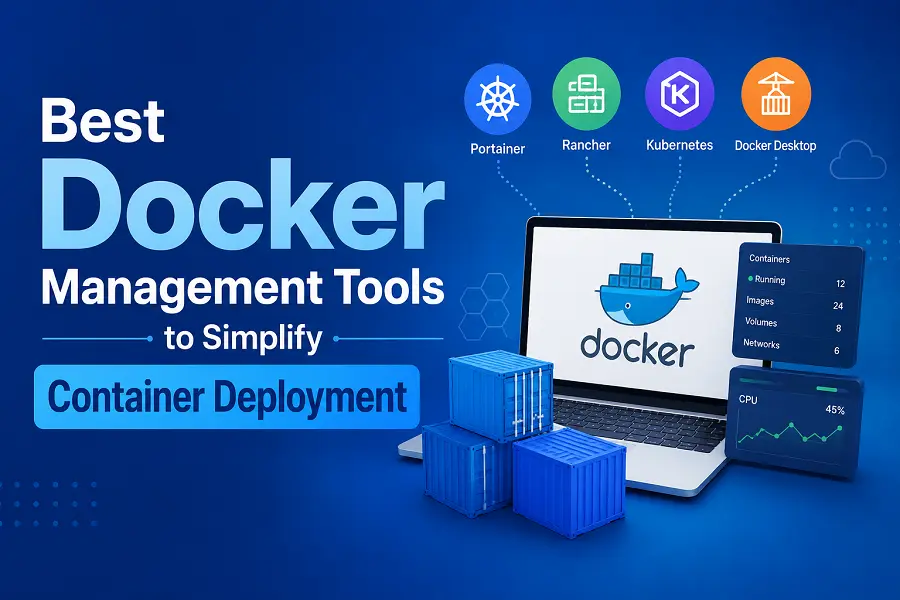
It can quickly get overwhelming to manage Docker containers manually, especially when the applications grow and the environments become more complex. Although Docker itself is very powerful, handling multiple containers, networks, and deployments merely by running command-line operations is not always an efficient way.
Docker management tools are designed to help in such situations. They make deployment easier, enhance visibility, and simplify operations. Nowadays, these tools have become not just a matter of choice but a necessity for smooth and scalable container management.
Docker Management Tools Necessity
Docker can ease application deployment, but the container management at scale can give rise to some issues.
Some of the potential issues are:
- Keeping an inventory of multiple containers
- Resource distribution
- Update management and scaling
- Log and performance monitoring
Docker management tools address these challenges by offering a unified control panel and automation capabilities. They lessen the need for manual labor and allow developers to concentrate on development rather than infrastructure.
Portainer Simple Yet Powerful Management
Portainer has been recognized as one of the easiest tools to manage Docker environments.
It offers a neat web-based console where anyone can deploy, track, and manage containers without the need to use command lines extensively. Moreover, it’s compatible with Docker, Docker Swarm, and even Kubernetes environments.
Besides simplicity, Portainer’s major selling point to me is how it can cater both to novices and advanced users. Obviously, beginners will find it very easy to operate but the feature-rich capabilities of role-based access, multi-environment control, etc. will appeal to the tech-savvy users.
Docker Desktop Best for Local Development
Docker Desktop offers a full-fledged solution for building and managing containers right on a developer’s machine.
Besides a user-friendly graphical interface, it has developer testing and deployment tools built in. Compatible with Windows, macOS, and Linux, it has become a standard for the development community.
If you are a team working on local projects, then Docker Desktop is your tool for an efficient and integrated workflow.
Rancher Manage Containers Like a Pro
Rancher is made for big setups where lots of clusters have to be managed.
If you want to run Docker and Kubernetes in a single place, have automated workflows with policies, Rancher is the way to go.
This is the right tool if your company needs advanced orchestration, strict security policies, and a way to see all your clusters at once.
CapRover Deployment without Headaches: Thanks to the Built-In Automation
CapRover is like a lightweight platform-as-a-service that makes deploying applications so easy.
You can deploy your app with just a few clicks, and CapRover will take care of the configuration such as setting up the reverse proxy and SSL automatically.
This will be your main weapon if you are a developer who wants to deploy very fast and not get into complicated server stuff.
Dokku Very Lightweight and Super Developer-Friendly
Simply put, Dokku is like a mini Heroku.
It enables developers to deploy their apps with very simple Git commands. Internally, it also uses Docker containers to efficiently run those applications.
Thanks to its ease of use, it’s an excellent option for small projects and even startups.
Yacht Container Management Made Simple with a Clean UI
Yacht is all about delivering an effective tool in a simple, user-friendly way.
It lays out a neat panel for container management and is also compatible with Docker Compose to facilitate deployment.
It is made with a focus on straightforward, no-frills dashboards for those who don’t want extra, unnecessary stuff.
Podman Desktop A Fresh Alternative
Podman Desktop provides the same kind of experience as Docker tools, but it uses a different backend.
It comes with a graphical container management tool that supports rootless modes, thereby enhancing security.
For those developers who want to have more hands-on and versatile ways, it is a worthy competitor.
Dockge Docker Compose Projects at the Center
Dockge is all about handling Docker Compose files.
With Dockge, you can finish your Compose editing tasks, deploying, and monitoring your Compose stacks all from a very basic web interface.
Therefore, it is a great help for those who are working on multi-container configurations quite a lot.
Key Features to Look for in Docker Management Tools
Not every tool provides the same level of features. While selecting one, focus on:
- Easy-to-use Interface
- Support for multi-containers and multi-hosts
- Automation of deployments
- Features of monitoring and logging
- Security and access control
The chosen tool should simplify things, not complicate them.
How These Tools Make Deployment More Efficient
Docker management tools have brought order to container workflows.
They enable you to:
- Implement software applications more rapidly
- Check the system’s performance in a live session
- Upscale the number of containers without hassle
- Have fewer mistakes in configurations
Adding a web hosting control panel to this kind of software, you get an entire system for managing both infrastructure and software in an effective way.
Conclusion
While Docker has flipped the script on application deployment, managing containers without proper tools can be a hassle. However, Docker management tools make the operation smoother by providing enhanced control, automation, and insight.
If you are just starting out or handling massive deployments, picking the right tool will help you save time, minimize mistakes, and increase overall efficiency. In today’s hosting environments, these tools have become indispensable, serving as integral components of effective and scalable container management.