
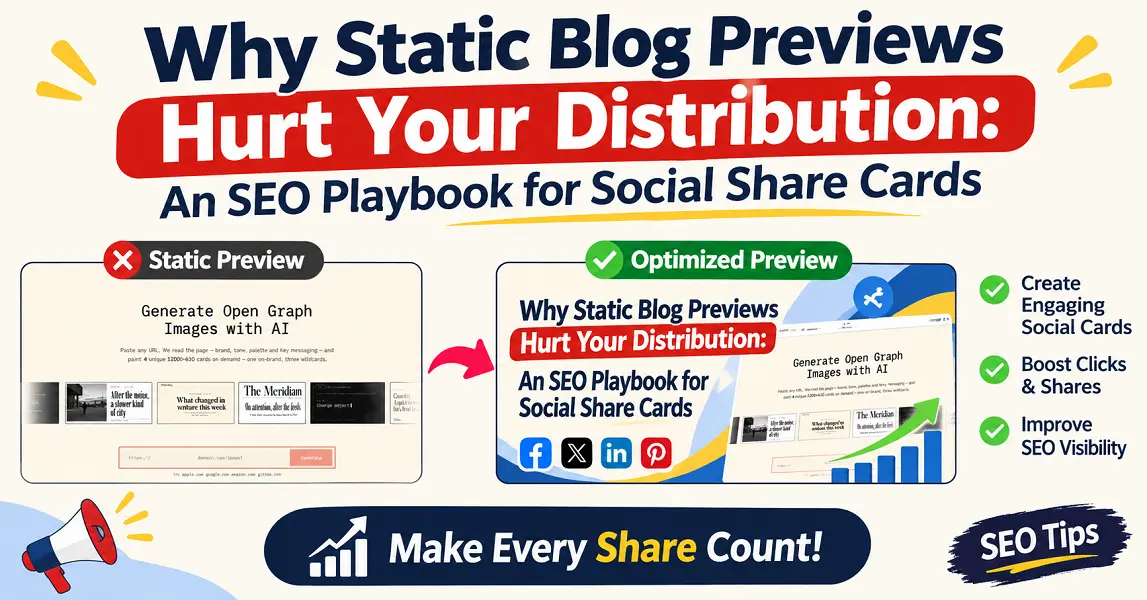
Most content marketing teams spend weeks producing a 2,500-word authoritative guide, yet they treat the final social preview image as an afterthought. When the link is shared on X, LinkedIn, Slack, or Reddit, the platform looks for the og:image tag in the document <head>. Far too often, it finds a static site-wide logo, a low-resolution author headshot, or nothing at all, forcing the timeline to render a generic grey box.
This represents a massive, silent leak in organic distribution. Social feeds are intensely visual environments where users scroll past dozens of headlines per minute. A link accompanied by a generic logo signals outdated or low-effort content before anyone reads a single sentence. Conversely, a clean, readable 1200×630 preview card functions like a mini billboard, directly lifting click-through rates (CTR) and driving secondary shares.
Fixing this problem across an active blog archive has historically been painful. Designers do not have time to produce custom artwork for dozens of backlogged posts, and manual template editors slow editorial velocity. This playbook outlines why social card optimization matters for organic reach and how modern SEO teams scale custom cards across every published article without opening a graphic design tool.
The Hidden Distribution Tax of Missing Social Cards
When evaluating organic content performance, teams obsess over title tags, meta descriptions, and keyword placement. Yet when that same content is distributed across social media or dark social channels (such as Slack communities and Discord groups), your Open Graph card is the single largest visual asset on the screen.
Here is how broken or static preview cards damage your distribution funnel:
- Subdued Click-Through Rates: Internal testing across technical blogs shows that posts sharing a full-width 1200×630 custom card generate between 40% and 80% higher click-through rates compared to compact square thumbnail previews or generic site logos.
- Lost Referral Traffic on Dark Social: Over 60% of technical and B2B content sharing occurs in private chat rooms. When a colleague drops your URL into a company Slack channel, a crisp preview card establishes immediate credibility, prompting teammates to open the link during work discussions.
- Lower Engagement Signals to Platform Algorithms: Social algorithms on LinkedIn and X track dwell time and click propensity. Links that fail to stop the scroll get pushed down the timeline, choking off secondary viral impressions.
Why the Design Bottleneck Exists
If custom social cards are so valuable, why do thousands of company blogs still share static logos?
The answer comes down to operational friction. In a traditional editorial workflow, publishing a new blog post requires:
- Writing and editing the copy in your CMS.
- Logging into Figma or Canva to duplicate a card template.
- Manually typing the headline, adjusting line breaks, and resizing text to prevent overflow.
- Exporting a 1200×630 PNG, uploading it to your media library, and copying the URL into your SEO plugin.
This four-step friction loop takes 15 to 20 minutes per article. When a team manages 200 older blog posts or publishes five updates a week, social cards quickly become a deferred task. The result is an inconsistent archive where only marquee landing pages get custom graphics while everyday articles sit empty.
Automating Card Production: The Modern Editorial Playbook
Rather than treating card design as an artisanal task, content teams are shifting to automated URL-first workflows. With an OG Images Generator for Article and blog post publishing, you simply input the live post URL. The system scrapes the headline, author, brand palette, and logo, and renders four distinct 1200×630 candidates in thirty seconds.
If you are managing an existing publication with dozens of unoptimized posts, follow this four-step retrofitting playbook:
- Audit your top 20% traffic drivers: Export your top 50 performing URLs from Google Search Console and your analytics platform. Paste each URL into a social validator to identify which articles are missing an og:image or sharing a generic logo.
- Standardize your visual branding rules: Decide on your core editorial styling. Ensure your headline typography is bold, brand colors are consistent, and text maintains a 40-pixel buffer from the canvas edge so mobile platforms do not crop critical words.
- Batch-process your post archives: Use an automated generator or sitemap crawler to generate branded 1200×630 cards for your historical catalog. A dedicated OG Images Generator for Blog workflows lets you download watermark-free PNG or WebP files and drop them straight into your CMS.
- Flush platform cache and verify: After updating your CMS tags, run your URLs through the LinkedIn Post Inspector and Facebook Sharing Debugger to force a fresh crawl. For X, appending a brief version string (such as ?v=2) to your image URL ensures immediate cache clearing.
Essential Quality Checks for Social Preview Cards
Before you publish a social card to your live article, verify that it adheres to these four editorial standards:
- Headline Legibility: Your article title should be readable on a 6-inch mobile screen without zooming. Cap your headline at 8 to 12 words, using clean sans-serif typography with high contrast against the background.
- Exact 1200×630 Dimensions: Avoid 1:1 squares or arbitrary banner ratios. 1200×630 represents the universal 1.91:1 aspect ratio supported natively by X summary_large_image, LinkedIn, Facebook, and Discord.
- Brand Consistency Without Logo Clutter: Place your brand wordmark or favicon discreetly in a corner. The focal point must remain the article title and topical imagery, not an oversized company logo that looks like a banner ad.
- Fast CDN Delivery: Keep card file sizes below 800 KB to avoid crawler timeouts during peak social sharing spikes.
Final Thoughts
Content distribution is too competitive to leave your link previews to chance. By implementing an automated OG Images Generator for Post pipeline, content teams eliminate hours of repetitive design work while ensuring that every published piece of writing enters social feeds looking polished, professional, and ready to earn the click.