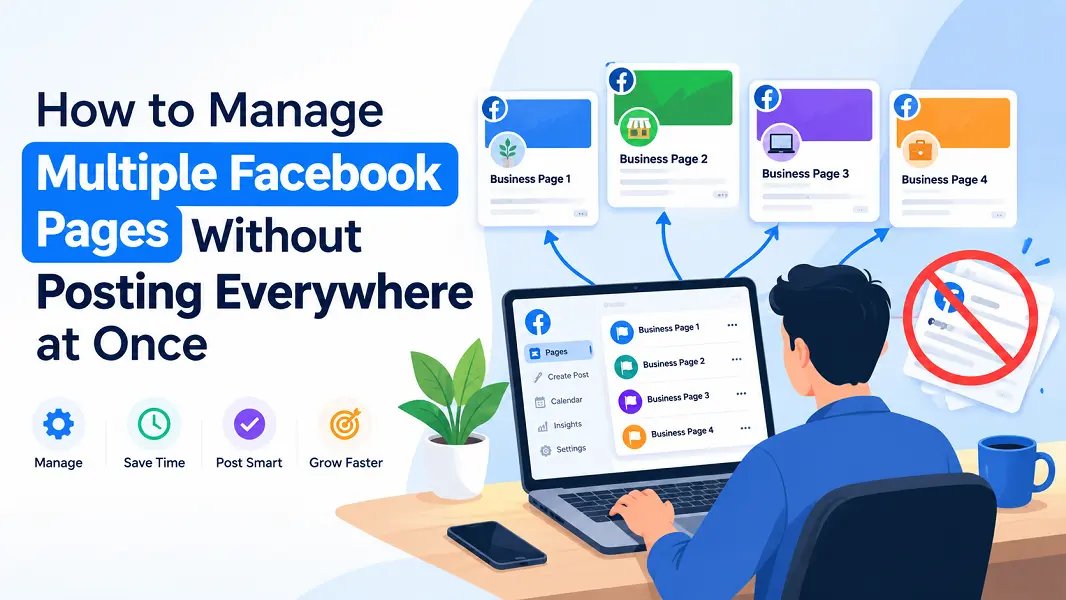
Managing several Facebook Pages becomes more complicated when the same piece of content belongs on more than one of them. Preparing the post is only part of the work. You also need to choose the right destinations, decide when publishing should begin, and check whether each Page received its copy.
Publishing everywhere simultaneously is not always the workflow you want. A publisher may prefer to distribute an article gradually, while an agency may need different timing for different Page groups.
A practical approach is to separate content preparation from delivery. Create the publication once, select its destinations, and control how it moves across those Pages.
Start with the right Pages, not every Page
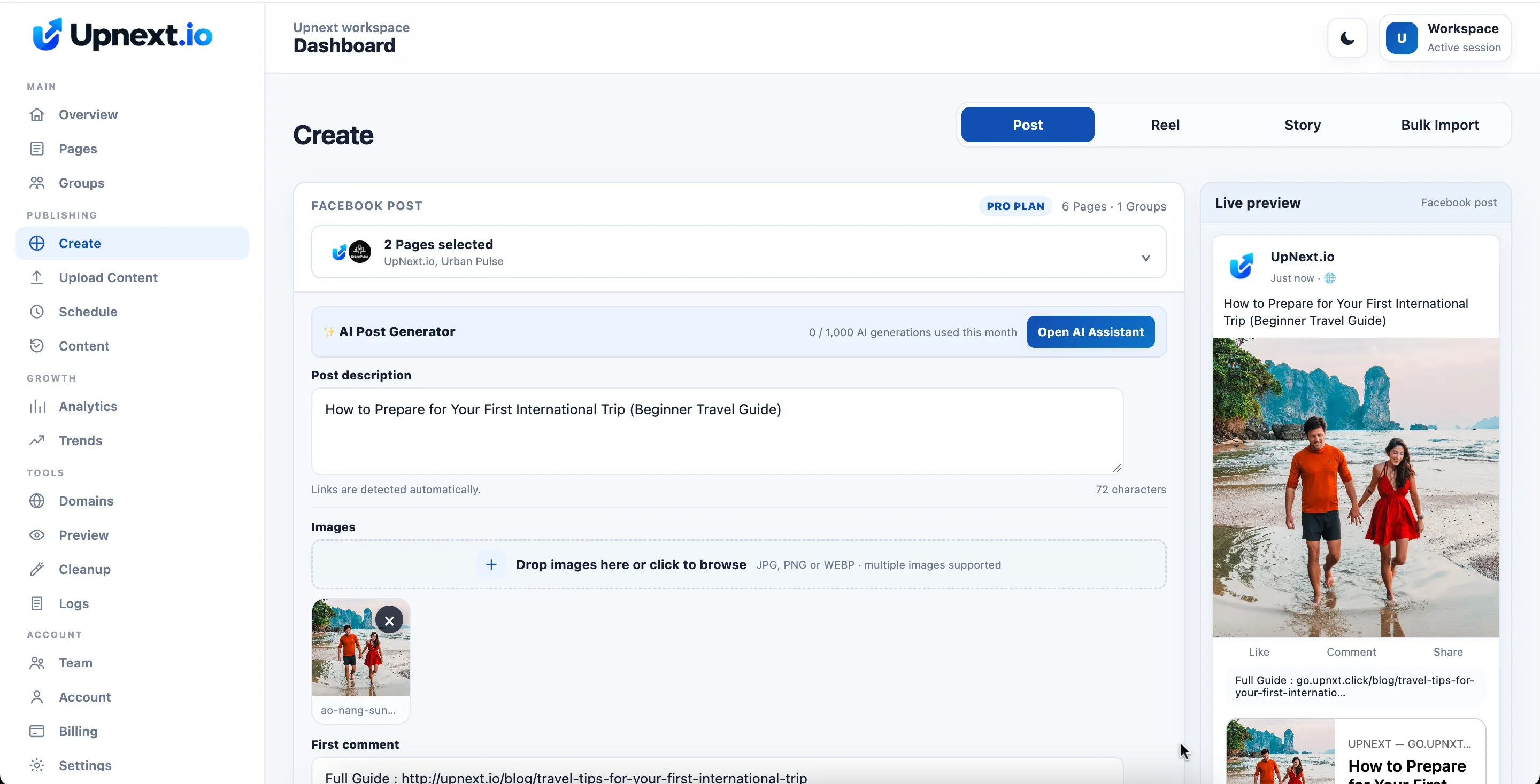
Before scheduling anything, decide which Pages should receive the publication.
Managing a Page does not mean every post belongs on it. A local news story may suit a regional Page but have little relevance to a broader entertainment audience. Even when several Pages cover related subjects, their readers may expect different angles.
For each publication, check three things:
- Is the topic relevant to the selected Pages?
- Does the wording make sense for their audiences?
- Are the image, link, and destination correct?
When the content needs a substantially different introduction, prepare a separate version rather than distributing identical wording automatically.
Tools such as UpNext’s multi-Page publishing workflow bring content preparation and destination selection together. You can prepare one publication and choose the connected Pages that should receive it, instead of rebuilding it separately for every destination.
Organize recurring destinations into Page Groups
Selecting Pages individually works for occasional posts. For recurring publishing, reusable groups make the process easier to manage.
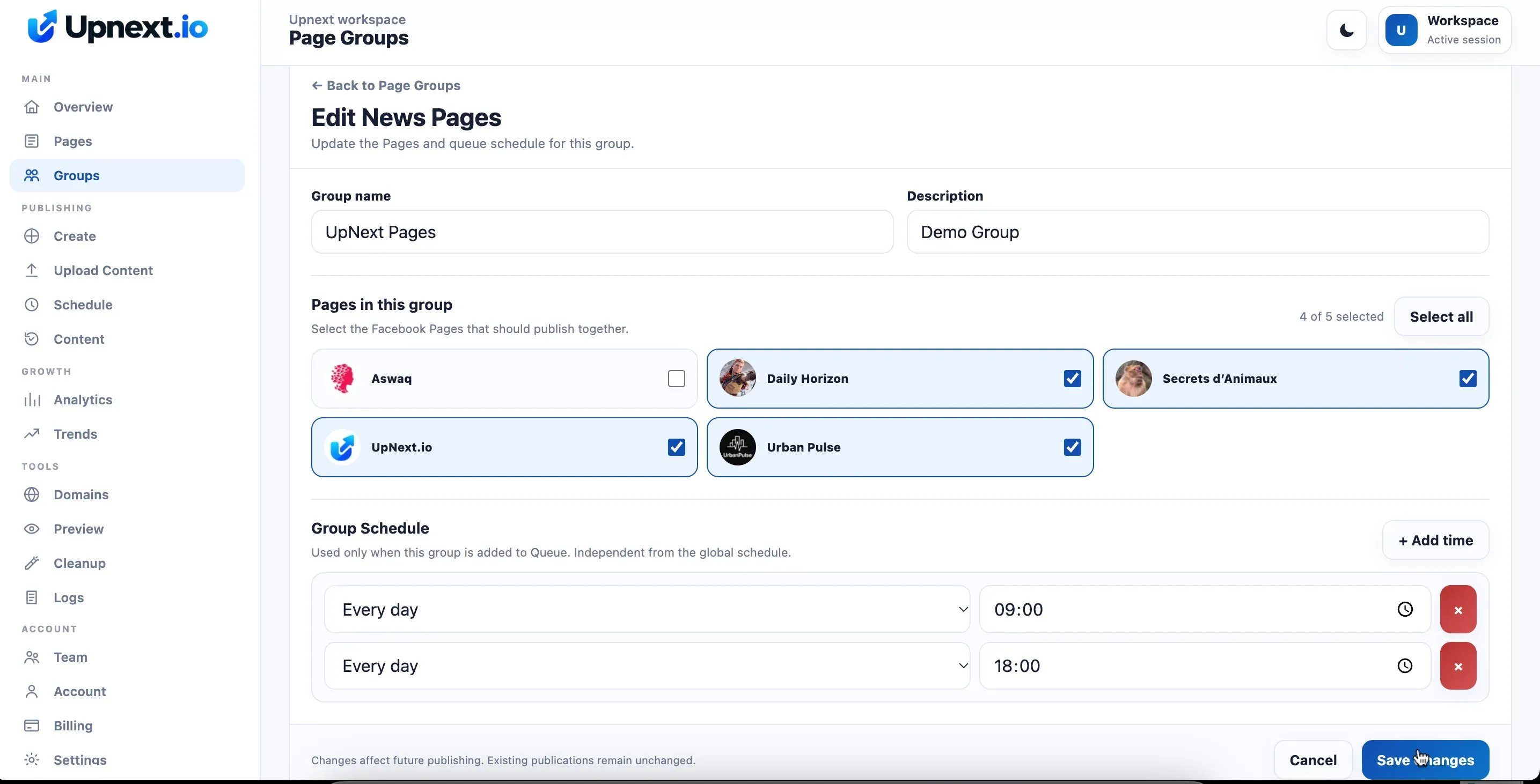
A publisher might organize Pages by language, topic, or website. An agency might create separate groups for different clients or campaigns.
The purpose is operational clarity: when preparing a publication, you should be able to identify the intended destinations without reconstructing the same selection repeatedly.
UpNext supports Page Groups for this type of recurring workflow. Review group membership whenever your Page portfolio changes, especially before distributing content to a large set of destinations.
Separate the starting time from delivery spacing
The scheduled starting time and the interval between Page deliveries answer different questions.
The starting time determines when the publication should enter the publishing workflow. Delivery spacing determines how far apart the individual Page copies should be distributed.
For example, with two Facebook Pages and a five-minute delivery interval, a publication starting at 18:40 would have its second Page copy planned for 18:45. The delivery results shown below illustrate this five-minute gap between the two Pages.
This is a planning example, not a guarantee of exact delivery times. Publishing errors or processing delays can affect the actual result, so the delivery history still matters.
With staggered Facebook publishing, you configure the interval as part of the multi-Page workflow rather than manually rebuilding a separate schedule for every Page copy.
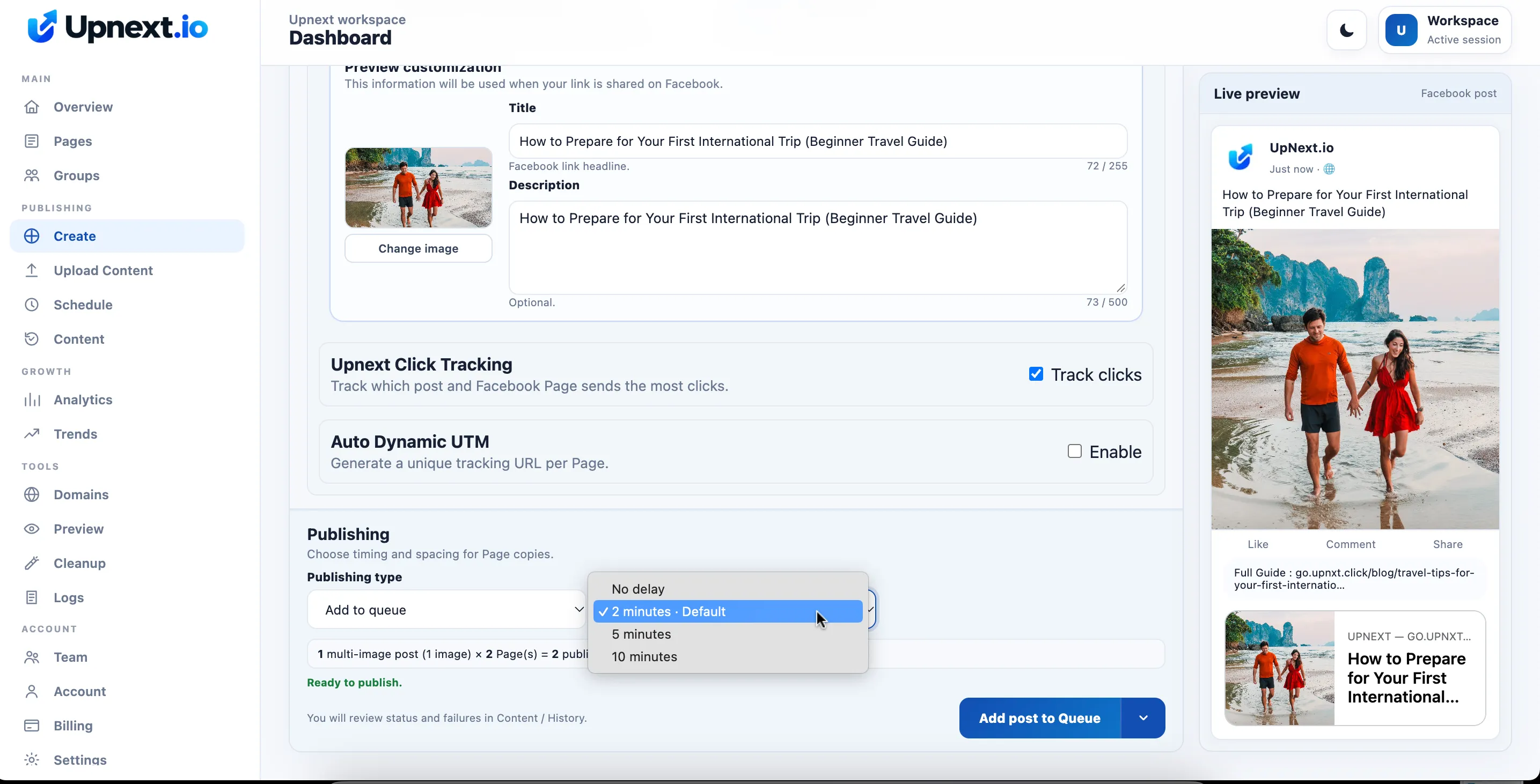
There is no universal interval that guarantees better reach. Choose spacing according to your publishing volume, audience overlap, and operational needs. Treat it as a distribution control, then evaluate the results.
Choose between scheduling and a queue
Scheduling is useful when a publication belongs at a specific date and time. A queue suits a recurring publishing rhythm, where prepared content moves through planned slots.
Before adding content, decide whether its timing is fixed or flexible. A time-sensitive announcement usually needs a deliberate schedule. An evergreen article may fit a recurring queue.
In UpNext, publishing mode and Page spacing are separate controls. Check both before submitting the publication: choosing a future starting time does not, by itself, explain how the copies will be distributed across the selected Pages.
Also confirm the time zone shown in your workspace. A correct date with the wrong time zone can still produce an unwanted schedule.
Review each Page’s delivery result
One publication can produce several individual Page posts. That means the overall task should not be considered complete until you have checked the destination results.
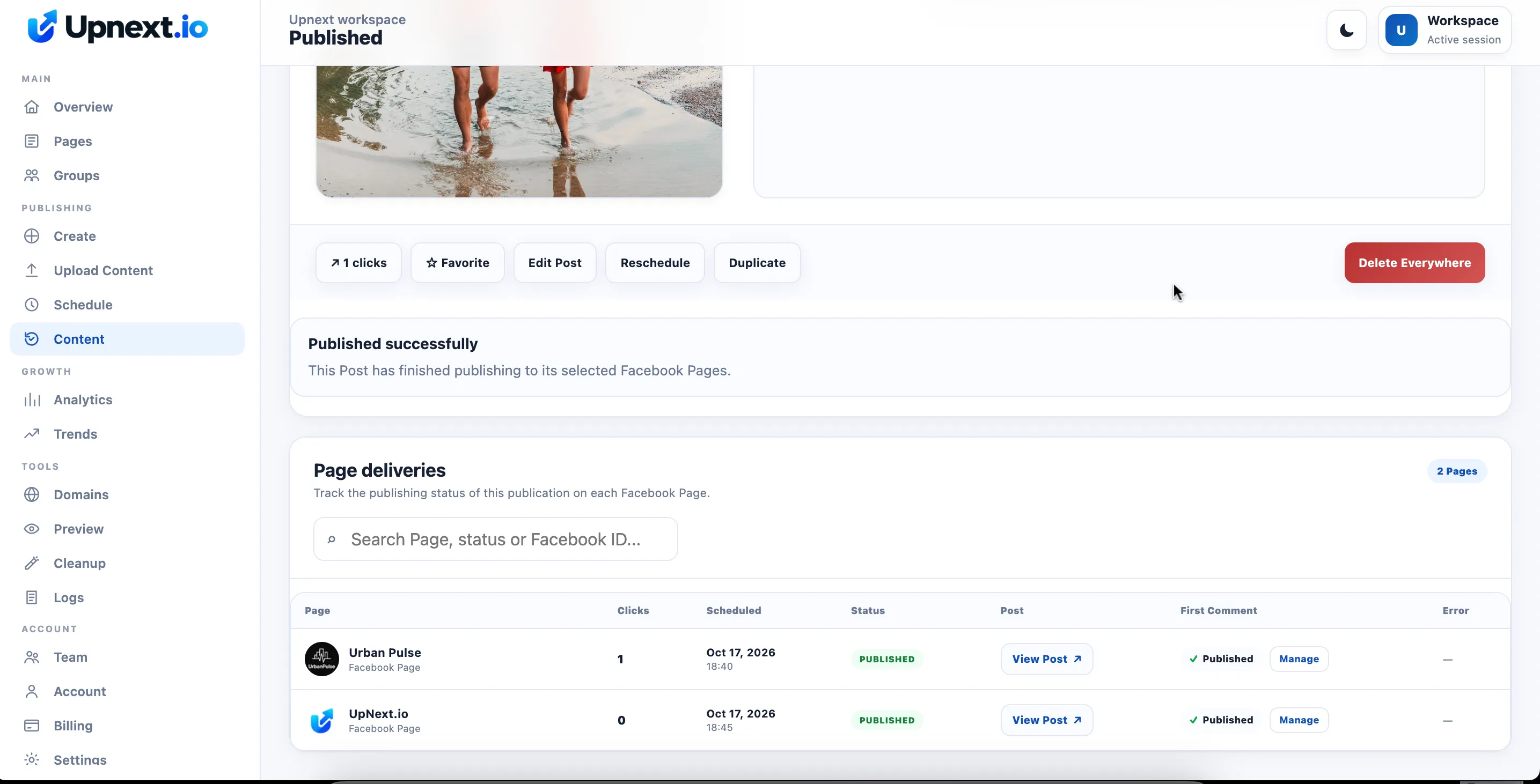
If two Pages publish successfully and a third fails, inspect the failed destination before repeating the whole batch. Restarting everything without checking can create duplicates on Pages that already received the content.
Use the publishing history to distinguish completed, pending, and failed deliveries. When troubleshooting, note which Page was affected and what error appeared.
Build a repeatable publishing routine
A manageable multi-Page workflow follows a clear sequence: choose relevant content, select the appropriate Pages or Page Group, prepare the publication, check its starting time and spacing, and review the delivery results.
The benefit is control over a growing publishing operation. You can reuse the preparation work while keeping destination selection, timing, and follow-up deliberate.
Start with a small group of Pages, confirm that the workflow behaves as expected, and expand once the process is reliable.