
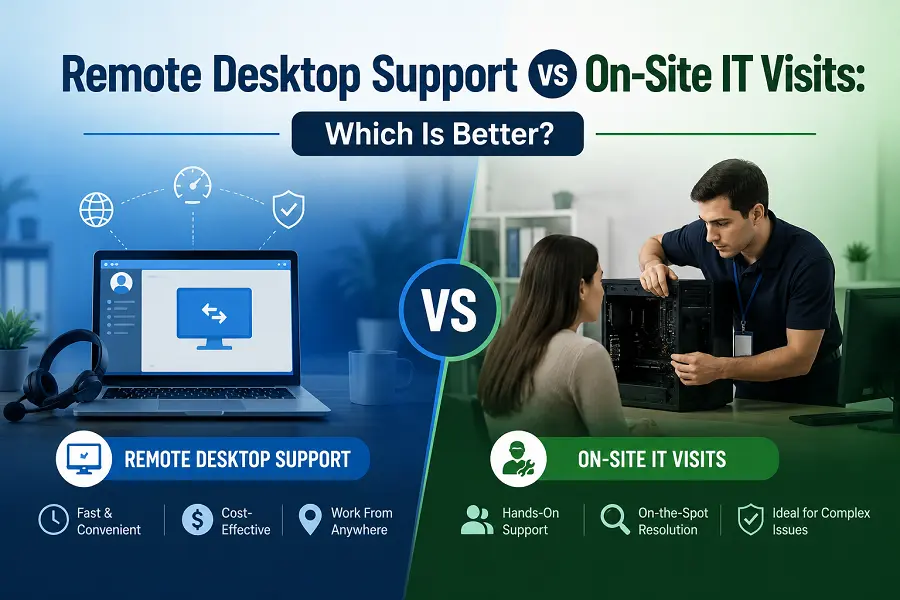
The debate between remote desktop support and on-site IT visits is less a matter of principle than it is a question of context. Both modes of support are legitimate, both have genuine advantages, and both have situations where they fall short. The mistake organizations make is treating one as universally superior and defaulting to it regardless of the problem at hand.
A more useful approach is to understand what each model does well, where each one is limited, and how to build an IT support framework that draws on both appropriately.
Understanding the core differences between remote desktop support vs on-site support begins with recognizing that they solve the same problem, getting an IT technician to a device through fundamentally different means, and that the consequences of that difference ripple through cost, speed, security, and user experience in ways that are not always obvious.
Speed and Availability
Remote desktop support wins on speed, and it is not close. When a user submits a ticket, a technician with remote support tools can be connected to the affected device within minutes. There is no scheduling, no travel time, no waiting for a technician to finish a prior on-site job before driving across town. The session opens, the work begins.
On-site visits are structurally slower. Even in the best case, a technician already in the building, there is travel time within the facility, the time to gather tools or equipment, and potential queue management if multiple issues need in-person attention simultaneously. For organizations with users spread across multiple buildings, floors, or locations, the delays compound quickly.
For time-sensitive issues, a user who cannot log in, an application crash blocking a deadline, or a connectivity problem in the middle of a client call, those extra minutes matter. Remote desktop support handles the majority of these situations faster than any on-site alternative.
Cost Structure
The cost difference between remote and on-site support is significant and often underestimated. Every on-site visit carries a fixed overhead: technician time in transit, vehicle costs, reduced availability for other tickets during travel, and the administrative overhead of scheduling. For organizations that outsource on-site support, those costs are often explicit in the contract, such as a per-visit charge or a higher hourly rate for field technicians.
Remote support eliminates all of those variable costs. A technician working remotely can handle multiple tickets in the time it would take to complete one on-site visit. The same headcount serves a larger user population with less downtime per incident. For MSPs especially, the unit economics of remote support are substantially more favorable than on-site models.
On-site visits are not free in terms of hidden costs, either. Every hour a user spends waiting for a technician to arrive is productive time lost. On-site-dependent support models scale poorly: adding users or locations typically means adding local technician headcount, whereas remote support scales on tooling rather than personnel.
Security and Accountability
Remote desktop support has a significant advantage in auditability. Every session is logged, including who connected, to which device, when, for how long, and what actions were taken. Session recordings provide a complete record of technician activity. If something goes wrong or a compliance audit requires evidence of controlled access, that record exists and is retrievable.
On-site visits are harder to audit. A technician sitting at a machine in a remote office has physical access that is difficult to monitor comprehensively. There is no automatic record of what files were opened, what commands were run, or what configuration changes were made unless specific endpoint monitoring tools are in place.
Organizations thinking carefully about access governance should also consider the risks that physical access introduces. Reviewing what security frameworks say about risks of authorized access misuse highlights why logging and limiting physical access to sensitive systems is not paranoia; it is standard risk management practice, and remote support with session logging delivers better controls than most on-site models can.
When On-Site Support Is Genuinely Necessary
None of this means that on-site visits are obsolete. There are problem categories that remote support simply cannot address.
Hardware failures are the clearest example. A machine that will not power on, a failed hard drive, a damaged port, or a malfunctioning peripheral requires someone physically present. Remote support cannot help a user whose computer is completely unresponsive.
Network infrastructure work, running cable, replacing switches, and configuring physical network hardware requires on-site presence. So does initial workstation setup when devices are being provisioned for the first time in a new location without any existing remote access infrastructure.
Some regulated environments have physical security requirements that restrict which systems can be accessed remotely, requiring certain operations to be performed on-site under controlled conditions. These requirements are specific and documented, not a general argument against remote access.
The Experience From the User’s Perspective
Most users, when they have experienced both, prefer remote support for everyday software and application issues. The session resolves their problem while they remain at their desk. They do not need to wait for a scheduled visit, surrender their machine, or explain the problem to someone who is not watching the screen at the moment it occurs.
On-site visits are occasionally preferred for complex problems where the user feels a physical presence adds reassurance, or for initial setups where the user wants to be walked through the configuration in person. But these are preferences, not requirements, and they should not drive support model decisions across an organization when the operational math strongly favors remote.
The broader shift toward digital workflows reinforces this. As organizations focus on digitizing enterprise work processes across every function, IT support is not exempt from that trajectory. Remote desktop support fits naturally into a digitally native work environment in a way that travel-dependent on-site models do not.
Building a Support Model That Uses Both Well
The right answer for most organizations is a hybrid support model that defaults to remote and deploys on-site selectively. Remote desktop support handles the overwhelming majority of tickets, software faults, configuration issues, account access problems, application support, and remote maintenance efficiently and at a lower cost. On-site visits are reserved for hardware failures, new office buildouts, and the specific situations where physical presence is genuinely required.
This model requires the right tooling, well-configured remote support software with strong security controls, and technicians trained to diagnose effectively without being physically present. It also requires clear triage criteria so that tickets are correctly routed from the outset rather than defaulting to on-site and escalating to remote only when the visit fails.
Organizations that get this balance right spend less on support, resolve tickets faster, serve a larger user population with the same headcount, and maintain better audit trails. Those that default reflexively to on-site support for everything pay a significant and ongoing operational premium for no meaningful benefit in most scenarios.
Frequently Asked Questions
Is remote desktop support as secure as having a technician physically present?
For most purposes, it is more secure than less. Remote sessions are encrypted, logged, and tied to authenticated technician accounts with role-based access controls. Session recordings provide a complete audit trail. Physical on-site visits are harder to audit and create physical access risks that remote support eliminates entirely.
What types of IT problems genuinely require an on-site visit?
Hardware failure,s particularly machines that will not power on, requires physical presence. Network infrastructure work involving physical cabling or hardware replacement also cannot be handled remotely. Initial device provisioning in locations without existing remote access infrastructure may require an on-site visit to get the first devices configured.
How should an organization decide which model to use for a given ticket?
Start with remote as the default. If the issue involves software, configuration, account access, or application behavior, attempt remote resolution first. Escalate to on-site only when the issue cannot be diagnosed or resolved remotely, typically because the device is unresponsive, the problem is hardware-related, or physical access is required for the specific task.