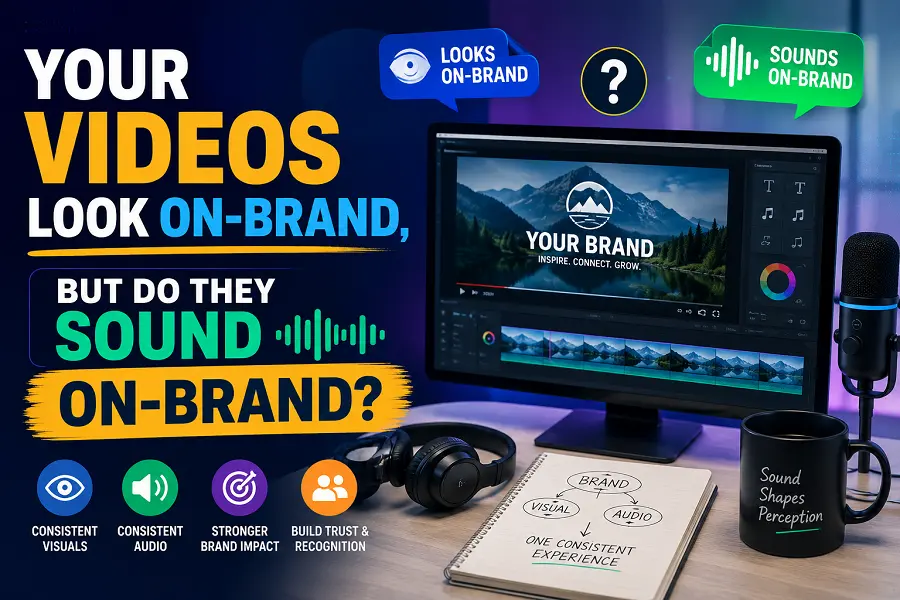
A small marketing team can spend hours choosing the right colors, trimming every shot, and rewriting a caption. Then, five minutes before publishing, someone adds the first background track that feels “close enough.” The video may look polished, yet the sound could belong to any brand. Music shapes pace and mood before viewers analyze the message. A tool such as AI Song gives marketers another option: describe the track they need instead of searching through unrelated songs and hoping one fits.
The Hidden Problem With “Good Enough” Background Music
Most marketing teams do not need a chart-topping single. They need music that supports a specific action. A product teaser may require energy without sounding aggressive. A customer story may need warmth without becoming sentimental. A tutorial may need rhythm that keeps the video moving without competing with the voice-over.
Generic music libraries often encourage a backwards process. The team chooses an acceptable track, then adjusts the edit around it. The opening may feel too slow, or the musical peak may arrive before the main reveal.
A better approach starts with the job the music must perform. Before anyone opens a music tool, write one sentence that explains the desired effect. For example: “The track should make a 20-second product demonstration feel quick, clear, and friendly.” That sentence is more useful than a vague request for “modern corporate music.”
Turn a Marketing Goal Into a Useful Music Brief
A useful brief does not need music theory. It needs concrete decisions. The easiest method is to define the audience, action, mood, and pacing before describing instruments or genre.
- Name the moment in the customer journey
Music for an awareness video should not be briefed like music for a checkout reminder. The first may need curiosity and a strong opening. The second may need a steady, reassuring pulse. State where the viewer is likely to encounter the content and what they already know
A social video for new viewers may need an immediate hook. A product tutorial can begin more calmly. - Describe the viewer’s desired reaction
Avoid abstract words such as “premium” unless you explain what they mean in the scene. Should viewers feel confident, relaxed, intrigued, or ready to act? Should the track create movement, or should it stay in the background?
A useful line might read: “Confident and clean, with enough energy to support quick cuts but no dramatic drop.” That gives a music generator clearer boundaries than “make it exciting.” - Set the pace with the edit in mind
Think about the number of visual changes. A fast montage usually needs a different pulse from a single-camera explanation. You do not need to specify beats per minute unless you understand the term. Plain language works: slow and spacious, steady and mid-tempo, or quick with a clear rhythm.
Note where the key moment occurs. The music and edit should rise together.
- Add only the style details that matter
Choose two or three useful traits, not a long list of fashionable words. “Light electronic pop with warm synths and soft percussion” is easier to interpret than “cinematic, futuristic, viral, emotional, luxurious, bold, minimal, and fun.”
If vocals would distract from spoken narration, request an instrumental track. If the video has no voice-over, a vocal direction may be appropriate. The decision should come from the content, not from the desire to use every available option.
Generate Options Around One Clear Direction
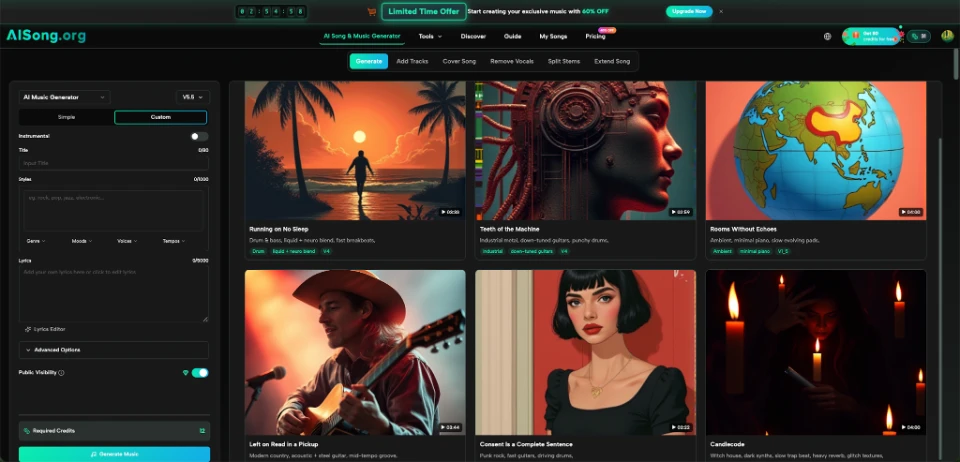
Once the brief is clear, this AI Music Generator can turn a description, mood, genre, or lyrics into music. AISong’s current generator interface includes simple and custom modes, an instrumental setting, style guidance, and fields for lyrics. That makes it possible to keep the idea consistent while testing several musical directions.
Treat the first result as a draft. Generate a small set around the same goal, changing one variable at a time.
For a product demonstration, the first version might use light electronic pop. The second might keep the same mood and pacing but replace bright synths with muted guitar. The third might stay electronic while using softer percussion. When only one element changes, the comparison becomes useful.
Three focused options are easier to discuss than a folder full of random ideas.
Use the Video Timeline as the Real Test
A track can sound good alone and still fail inside the content. Always test it under the actual edit. Lower the volume, play the voice-over, and watch the full piece without stopping.
Look for three practical problems:
- The music competes with speech.
- The energy peaks before or after the main visual moment.
- The ending feels cut off rather than intentional.
When the track competes with narration, the solution may be simpler instrumentation rather than lower volume. When the peak is misplaced, a new generation with clearer pacing instructions may work better than forcing the edit. When the ending feels abrupt, consider changing the video length or using a continuation option if the chosen platform provides one.
Ask someone who did not edit the video what it felt like and which moment seemed most important. Their answer reveals whether the music is working.
Keep Sound Consistent Without Reusing One Track Forever
Consistency does not mean placing the same music under every post. The better goal is a recognizable range, not endless repetition.
A team can create a simple sound guide with three lanes. One lane might cover upbeat product clips. Another might support calm tutorials. A third might suit customer stories. For each lane, note the usual mood, pace, and two or three sound traits.
For example:
| Content type | Desired feeling | Useful music direction |
| Product teaser | Quick and optimistic | Bright rhythm, clean electronic texture |
| Tutorial | Focused and calm | Steady instrumental, limited melodic movement |
| Customer story | Warm and sincere | Soft acoustic or gentle piano-led arrangement |
This guide helps editors make related choices without forcing every video into one template.
Save the prompt beside the final track name. When a future result works well, the team can reuse the logic rather than guessing again. The purpose is not to copy the exact song. It is to understand which instructions produced the right mood.
Common Mistakes That Make AI Music Feel Generic
The first mistake is asking for a genre without explaining the scene. “Upbeat pop” could fit a fitness ad, a travel reel, or a children’s event. Add the audience, pacing, and intended reaction.
The second mistake is overloading the prompt. Too many emotional and stylistic instructions can pull the result in opposing directions. Choose a dominant mood and one supporting quality.
The third mistake is evaluating music with headphones before testing it on the platform where viewers will hear it. A track that sounds detailed on studio headphones may lose its character through a phone speaker. Preview the final mix on ordinary devices.
The fourth mistake is using music to repair a weak video structure. Sound can strengthen a clear message, but it cannot make confusing scenes understandable. Fix the sequence first, then create music that supports it.
Conclusion
A recognizable brand sound begins with better decisions, not a larger music library. Define the viewer, the action, the mood, and the pace before generating anything. Create a few controlled options, test them under the real edit, and record what worked. Over time, those notes become a practical sound guide for your videos rather than another vague branding document. Start with one upcoming post and write its music brief before you open the editor.