
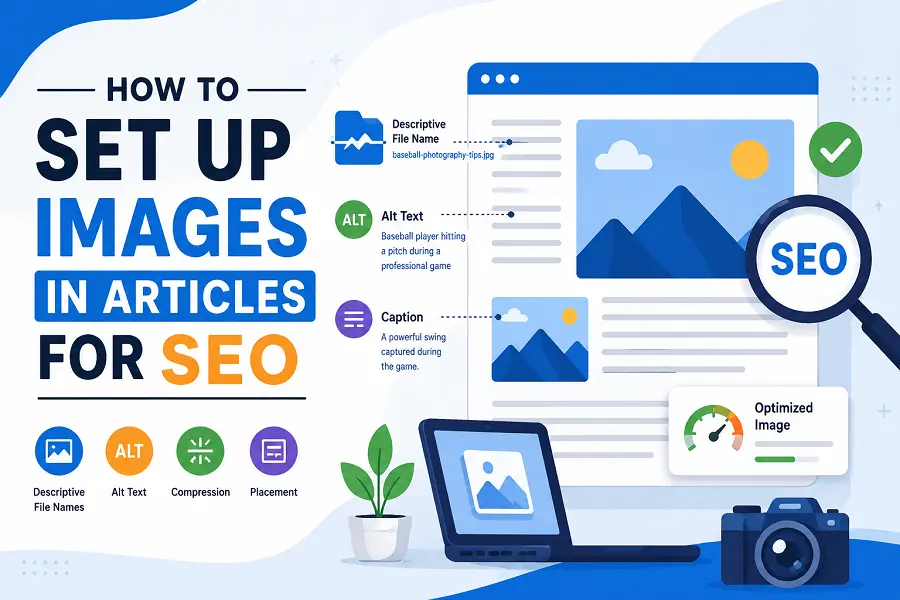
Images can make an article more engaging, easier to scan, and more useful to readers. They can also support search engine optimization when they are properly selected, formatted, and placed.
Simply adding an image to an article, however, does not automatically improve its search performance. To get the most SEO value from images, publishers should consider everything from file names and alt text to image size, placement, and relevance.
Choose Images That Support the Content
The first step is selecting images that are directly relevant to the article.
An image should help readers understand, visualize, or engage with the subject rather than simply fill an empty space. For example, an article about baseball photography could benefit from relevant baseball or sports editorial images, while a guide to website design might use screenshots, interface examples, or relevant illustrations.
Relevant images can improve the overall user experience and make an article easier to understand. They can also provide additional context for search engines when the surrounding text, image file name, alt text, and caption all describe the subject accurately.
Use Descriptive Image File Names
Before uploading an image, give the file a descriptive name.
A file called IMG_4837.jpg provides little useful information. A name such as baseball-photography-tips.jpg gives search engines considerably more context.
Keep file names:
- Relevant to the image
- Concise and descriptive
- Written in lowercase
- Separated with hyphens
- Free from unnecessary numbers or characters
Avoid stuffing keywords into the file name. The goal is to accurately describe the image, not manipulate search rankings.
Write Useful Alt Text
Alt text is one of the most important SEO considerations for images. It helps describe an image to people who use screen readers and provides search engines with additional context.
Good alt text should explain what is actually visible in the image.
For example:
Weak:
baseball image
Better:
Baseball player hitting a pitch during a professional game
The best wording depends on the specific image. If the image contains important information, describe that information. If an image is purely decorative, it may not need descriptive alt text.
Avoid turning alt text into a list of keywords. Accessibility should be the primary purpose.
Place Images Near Relevant Text
Image placement can help establish context.
Whenever possible, place an image near the section of the article that discusses the subject shown in the image. For example, if a section discusses MLB photography, a relevant baseball image should appear alongside that section rather than several paragraphs away.
This creates a stronger connection between the image and surrounding content for both readers and search engines.
Captions can also be useful when additional context is helpful. A caption might identify a player, location, event, or explain what is happening in the photograph.
Compress Images Before Uploading
Large image files can slow down a webpage, particularly on mobile connections. Page speed and overall user experience are important considerations for SEO, so images should generally be optimized before they are published.
Compression reduces file size while attempting to maintain acceptable visual quality.
Common formats include:
- JPEG: Useful for many photographs.
- PNG: Useful when transparency or certain types of graphics are required.
- WebP: A modern format that can provide good image quality at relatively small file sizes.
- AVIF: Another modern format that can offer strong compression, although browser and workflow considerations should be checked.
The right format depends on the image and the website’s technical setup.
Use Appropriate Image Dimensions
Avoid uploading a massive image when the article only displays it at a much smaller size.
For example, if an image will appear at 1,000 pixels wide, uploading a 5,000-pixel-wide original may unnecessarily increase the amount of data visitors have to download.
At the same time, images should not be so small that they become blurry or pixelated when displayed.
Responsive image techniques can help websites deliver appropriately sized versions depending on the visitor’s device.
Consider Image Quality and Resolution
SEO should not come at the expense of the reader’s experience.
An aggressively compressed image may load quickly but look unprofessional. This is particularly important for publishers covering photography, sports, news, travel, fashion, or other visually focused subjects.
Aim for a balance between file size and quality. The image should be sharp enough for its intended display size without carrying unnecessary data.
Add Captions When They Provide Value
Captions are not required for every image, but they can be particularly useful for editorial and informational content.
A good caption can tell readers who or what is shown, where the photograph was taken, or why the image is relevant to the article.
For news and sports content, captions can be especially important because readers may need additional context about an event or photograph.
Don’t Forget Image Licensing
SEO optimization is only useful if you have the right to publish the image.
Publishers should verify licensing requirements before using stock photography, editorial images, photographs from social media, or images found through search engines.
A Google Image search result does not mean an image is free to use. Depending on the publication, you may need a commercial license, editorial license, attribution, or other permission.
Create a Consistent Image Structure
For websites publishing large amounts of content, it can be helpful to establish an internal image workflow.
For example, a publishing team might follow the same process for every article:
- Select a relevant image.
- Verify licensing.
- Rename the file descriptively.
- Resize it for the intended display.
- Compress the image.
- Add appropriate alt text.
- Add a caption when useful.
- Place the image near relevant content.
- Check the page on desktop and mobile.
- Confirm that the image does not negatively affect page performance.
A consistent process makes image optimization easier to manage across a large content library.
Helpful Platforms for Finding and Preparing Images
The right image platform depends on the type of content being produced.
Vecteezy is one option for finding stock photography, illustrations, and other visual assets. Its editorial photography collection can also be relevant for publishers covering current events and sports.
Getty Images offers extensive stock and editorial collections, making it a consideration for publishers that need professional photography and event coverage.
Adobe Stock provides stock photos, illustrations, videos, and other creative assets that can be useful for commercial and editorial content.
Unsplash and Pexels are also popular options for finding free photography, although publishers should still review the applicable licensing terms before using an image.
The best platform will depend on factors such as budget, licensing requirements, subject matter, image quality, and whether the publisher needs current editorial photography.
Use Images to Improve the Overall Article
Image SEO should not be treated as a standalone tactic designed only to attract image-search traffic. The primary objective should be creating a better page for readers.
Relevant, properly formatted images can break up long sections of text, demonstrate concepts, provide visual context, and make articles easier to navigate.
For publishers, the strongest approach is to combine good image selection with technical optimization. Descriptive file names, useful alt text, appropriate dimensions, compression, relevant placement, and proper licensing can all contribute to a stronger image workflow.
When these practices are applied consistently, images can support both the usability and discoverability of an article without compromising the quality of the content.