
You turn on the computer and notice a line across the screen. The first thought that comes to your mind is that it is something wrong with the display itself.
In fact, however, the cause of the problem may lie somewhere completely different.
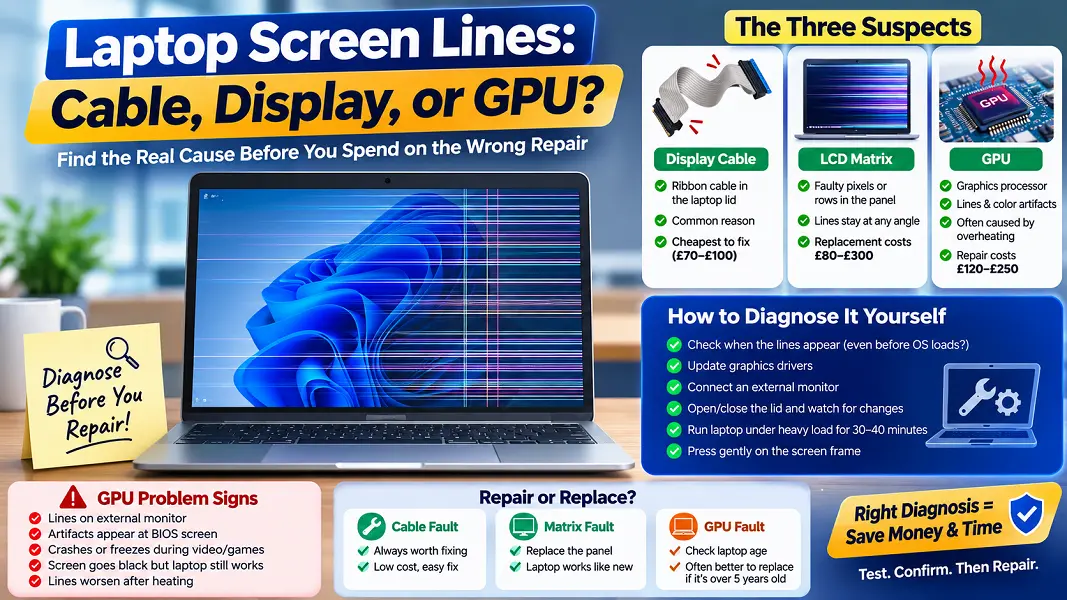
There are three sources where lines can be formed — the display cable, the matrix, and the graphics card. Misdiagnosis of the fault can lead to unnecessary spending — the replacement of a part that was fine will cost you about £200.
The Three Suspects
Display Cable
Display cable. It is a ribbon cable which is constantly subjected to stress when you open and close the lid of the laptop. Over time, the cable may form microfractures or disconnects. This is one of the most common reasons of screen lines, but this problem is also one of the easiest to fix — about £70–£100 for replacement.
LCD Matrix
LCD matrix (display panel). Failure of individual pixels or rows of the LCD panel gives the constant lines which remain visible at any angle and do not depend on the position of the lid. A replacement display matrix in the UK costs around £80–£300 per unit.
GPU
GPU (graphics processor). This chip is responsible for the image generation process. The failure of GPU (typically caused by overheating or the damage to its solder joints) results in the appearance of lines, color artifacts or total blackout of the screen. GPU problems in older laptops are not always worth repairing, because of the high price of reflowing the solder.
How to Diagnose It Yourself
Take this steps in order. Stop as soon as you figure out the reason.
- Check when the lines appear. If the fault occurs even before the OS is loaded — that means the source of the problem is hardware related.
- Update the graphics drivers. In Windows: Device Manager → Display adapters → Update driver. If the problem disappears after the reboot — that is it.
- Connect an external monitor. This is the main test. If the external monitor has the same lines — the problem is in the GPU. If everything is okay — then it is either the cable or the matrix.
- Open and close the lid slowly, observing the screen. If the lines move or disappear when opening or closing the lid — it means the cable is damaged inside the hinge.
- Run the laptop for 30-40 minutes under heavy load. If the lines become worse after heating — it is either the GPU thermal problem or damaged solder connections.
- Press gently on the outer frame of the screen. If the lines briefly change their position or disappear — it might be a loose cable connection inside the matrix.
Signs That the Problem Is Caused by the GPU, Not the Screen
- Lines are visible on the external monitor
- Corruption appears even at the BIOS screen, before loading the operating system
- Laptop crashes or freezes while playing video or games
- Screen turns black while the machine continues to work
- Lines worsen after 30-40 minutes and go away as the laptop cools down
The presence of two or more of these symptoms, along with the test using the external monitor — is an indication that the GPU has gone bad.
Repair or Replace?
Cable Fault
A cable fault in a laptop with good performance characteristics is always worth fixing. Since the cable is relatively inexpensive and does not affect the remaining components of the laptop, you have nothing to lose.
Matrix Fault
The matrix fault requires the same approach — replacement of the matrix makes the machine perfectly operational again.
GPU Fault
Faults of GPU in laptops older than five years old should be considered separately. Reballing (re-fluxing the solder joints) will cost £120–£250 and has no warranty. New motherboard will cost more than the whole laptop.
When Replacement Makes More Sense
The general rule used by most UK repair centers: if the price of repair exceeds 50% of the price of a used but working laptop — the machine has to be replaced.
Where to Find More Detailed Diagnostic Instructions
In case you need more detailed diagnostic procedures before going to a repair center, there are a lot of guides on the Internet — ZETO and iFixit provide component-level repair instructions for many laptop models.